Rocksolid Studio 26.1 Brings a Refined Interface, macOS support and production-ready reference projects
The latest 26.1 Studio release enhances usability, expands platform support to macOS, and adds production-ready reference projects to streamline development workflows.
What's New
MacOS Support
Production-ready reference projects
Studio-wide UI refresh
Updates in the Node Editor
Minimap
Multi-word search
New Nodes
Mac Support (Beta)
Until now, Rocksolid Studio has been available on Windows and Linux. With this release, we are introducing the first beta version for macOS, giving Mac users a chance to start working in the Studio, making collaboration easier across different operating systems.
The macOS beta includes the same feature set as the Windows and Linux versions, with shared project compatibility across both platforms. The only exception is OpenXR, which is not yet supported on macOS. We plan to introduce OpenXR support for Rocksolid Studio on macOS in the next release.
Production-Ready Reference Projects
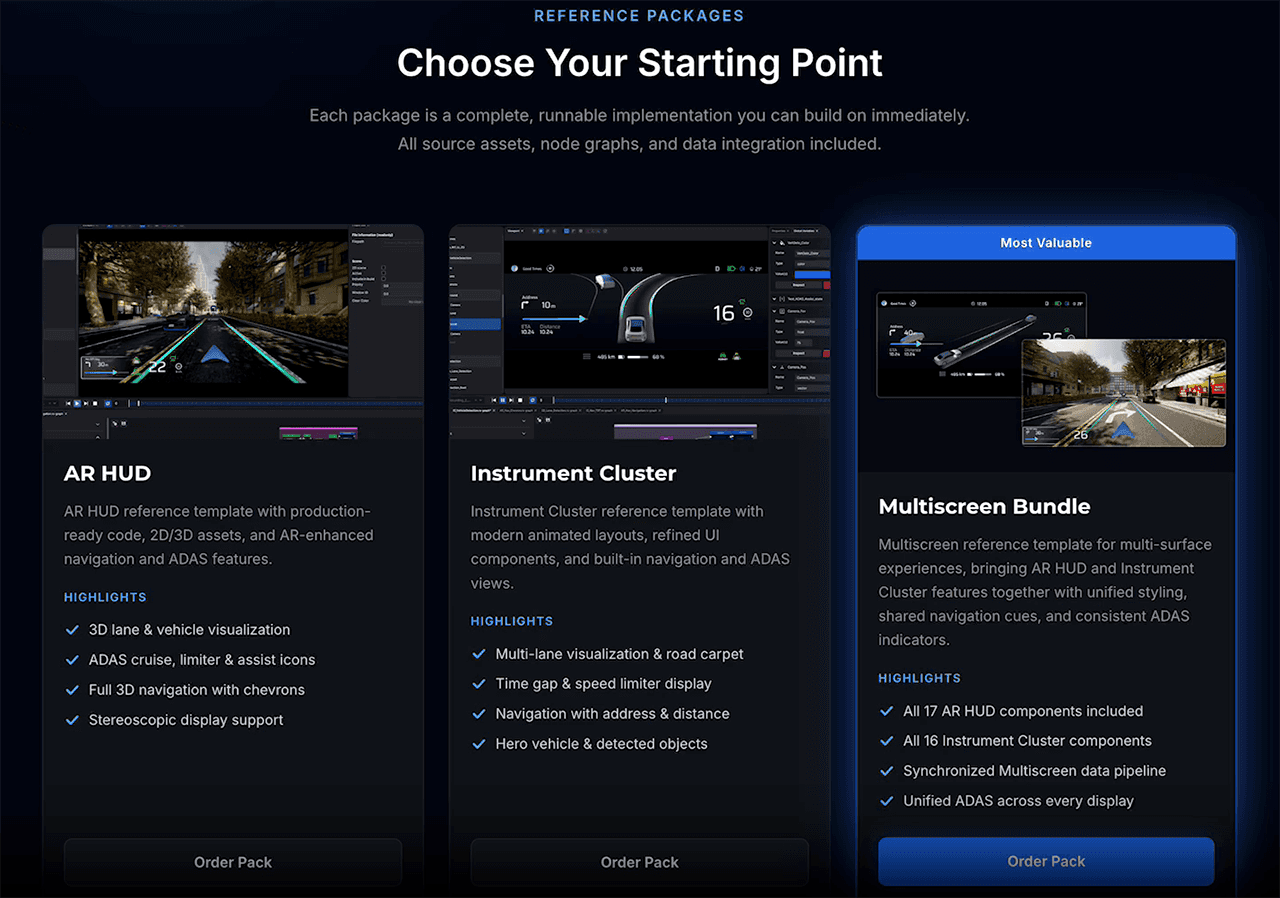
The new reference projects are available as Add-ons.
We have made it easier to get started with Rocksolid Studio with production‑ready reference projects. These projects are available separately as paid add‑on modules.
Reference projects included in this release:
AR HUD
Instrument Cluster
Multiscreen Experience
The reference projects give a solid foundation for professional AR and HMI applications and can be customized to match your feature requirements and brand design.
Studio-wide UI Refresh
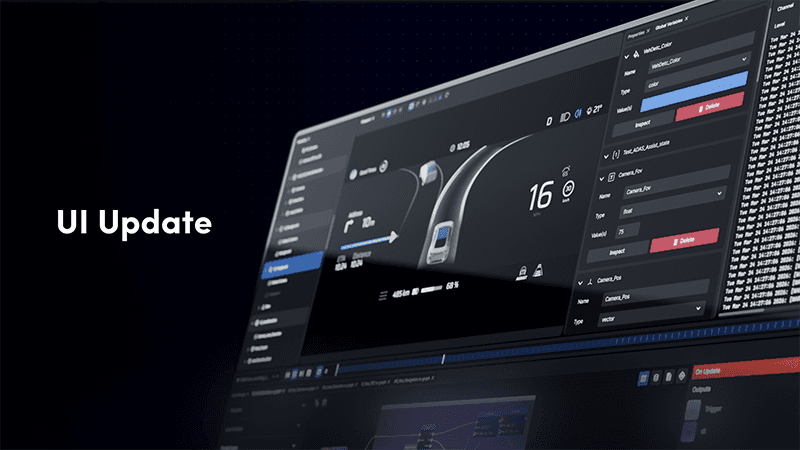
This is the largest UI update we have ever released for Rocksolid Studio. The aim has been to make the interface clearer, more consistent, and easier to work with.
New widget UI:
Core widgets, including the Hierarchy, Viewport, Properties, Asset Manager, and Export Dialog, now follow the updated design style.
Custom Icon Set:
All UI icons have been replaced with a new custom icon set.
Custom Layout Engine:
The legacy golden-layout library has been replaced with a purpose-built widget layout system offering better stability and flexibility.
New Launcher
The launcher has been refreshed, enabling easy access to proxy settings and a more consistent layout across platforms.
Updates in the Nodegraph Editor
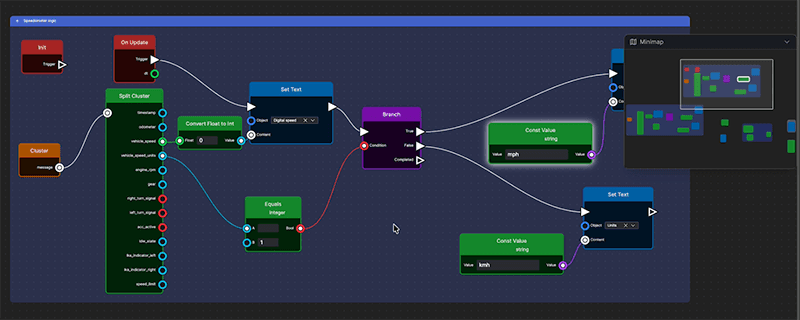
The new Nodegraph Minimap
This release brings several updates to the node graph experience, aimed at making large graphs easier to navigate and work with.
Minimap
A new minimap gives you a better overview of large graphs. It helps you keep track of the overall structure without losing sight of where you’re currently working.
Multi‑word search
Search now supports multiple terms. Each word is matched independently, making it easier to find the nodes you need using partial names or related keywords.
New Nodes
This release also adds several new nodes. A few highlights include:
Node Deprecation Warnings
Deprecated nodes are now clearly marked in the graph. Compilation warnings link directly to documentation for recommended alternatives, and the “Issues Found” indicator only appears when there are actual errors.
Set Orientation from Vectors
Allows setting an object’s orientation using forward, right, and up direction vectors.
Array to Vector
Converts an array value into a vector.
Want to learn more about Rocksolid Studio? Book a demo with us here. If you are a Rocksolid Studio user and want to read more about the new features and all bug fixes in the latest release, read the official 26.1 release notes.